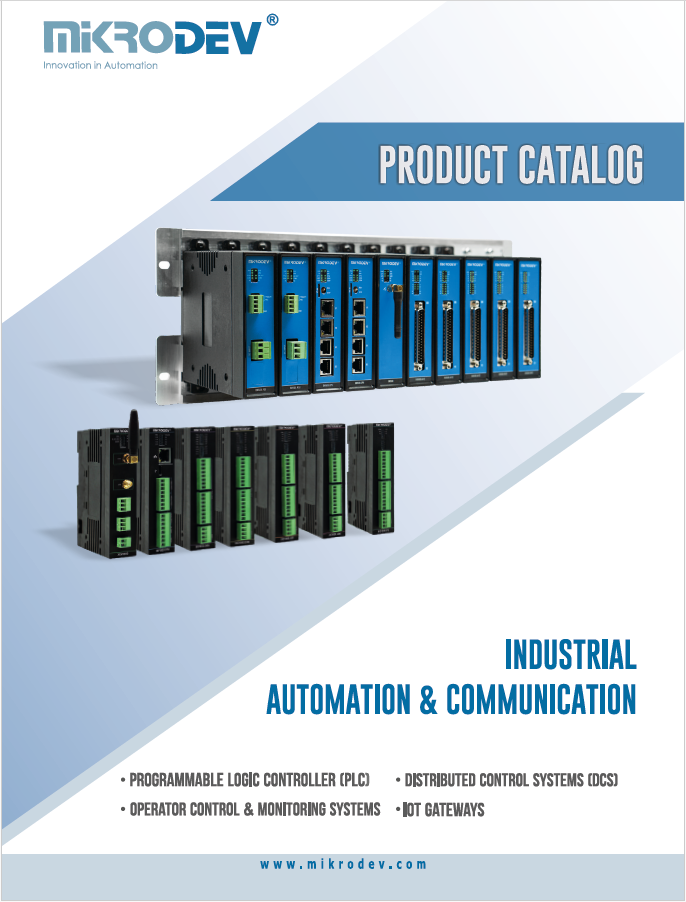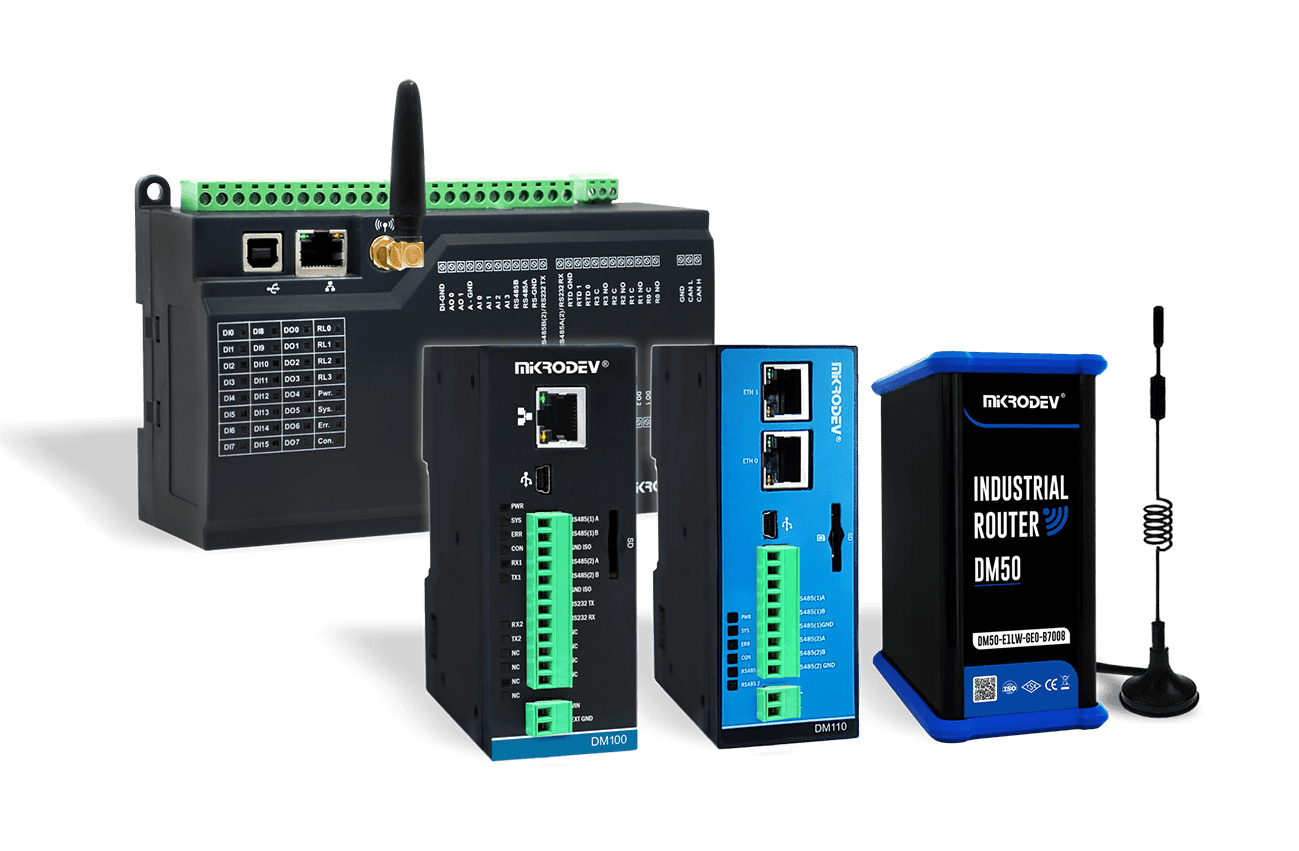

Early access
AeroDiagram
AI-assisted engineering for PLC and RTU projects — from protocols and signals to logic and testing.
Get ready for the next generation of PLC engineering
4 January 2027
AeroDiagram 1.0 and the new generation of compatible Mikrodev hardware are coming. A new era of AI-assisted PLC and RTU engineering begins on 4 January.
The countdown is on. AeroDiagram 1.0 and compatible Mikrodev hardware launch together on 4 January 2027.
Try it now
Download the AeroDiagram Alpha
Explore the workflow before the 1.0 launch. Build a test project, try the AI assistant, configure protocols and run your logic in the built-in simulator.
AI Assistant
Describe the job. Keep control.
AeroDiagram’s assistant works on the project, not just the code. It can build signals, protocol points, device settings and logic from the engineering information you already have.
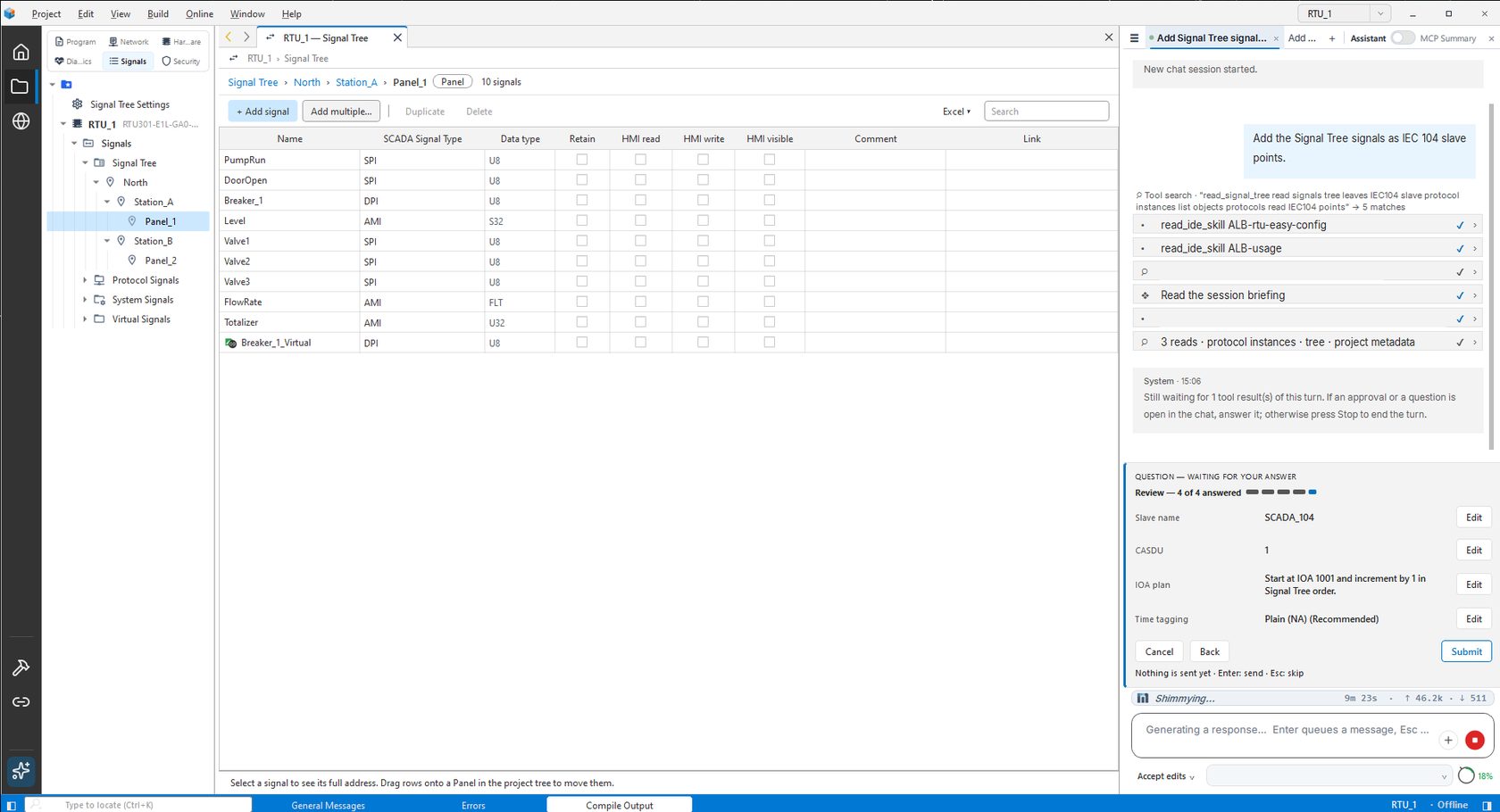
It asks instead of guessing
- Missing values become questions, not invented defaults.
- Manual mode keeps every write behind your approval.
- ST, FBD and Ladder edits can be accepted or rejected in the editor.
Use the AI that fits your team
- Choose from major cloud model providers.
- Connect Claude, Cursor and other MCP clients through AeroDiagramMCP.
- Local models can also be used for offline chat.
You remain responsible for engineering review, testing and download to the device.
Why AeroDiagram
AI that engineers more than code
Move beyond code generation. AeroDiagram brings AI into protocols, signals, device configuration and graphical PLC logic as part of the same project.
Beyond code
AI works across the project
Build protocols, points, mappings, signals, device settings and PLC logic in one engineering workflow.
Graphical AI
FBD ↔ Ladder
Convert a block between FBD and Ladder and compare the result with the source.
Built for RTU
One signal from field to logic
Use the same signal across the Signal Tree, protocol tables, PLC logic and Watch.
Open AI bridge
Your model. Your workflow.
AeroDiagramMCP opens the same project tools to external AI clients with approval-controlled access.
RTU & Protocols
From field signals to SCADA protocols
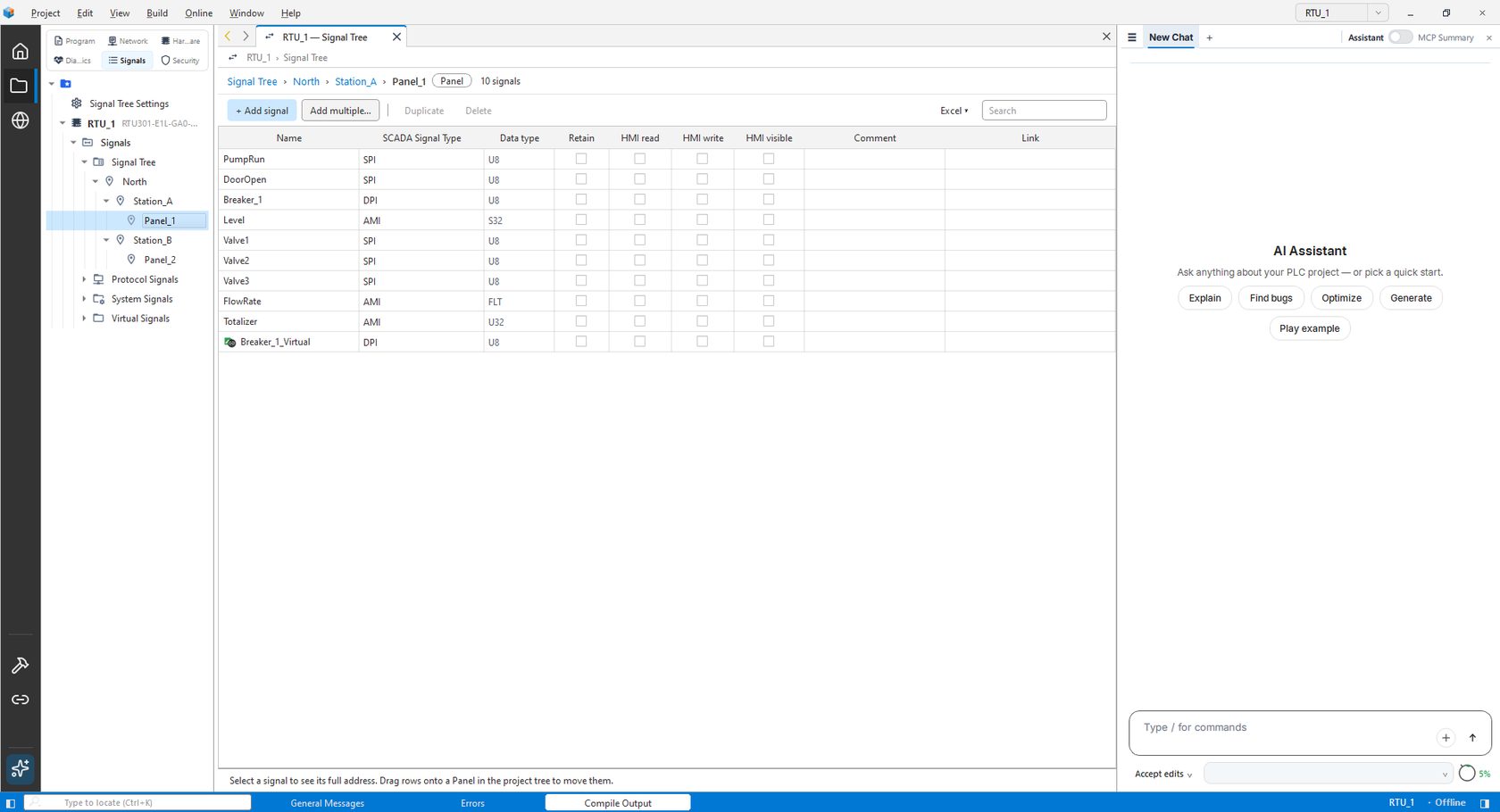
Build telemetry projects around signals first. Organise them once, map them to protocols, and add PLC logic only where it is needed.
RTU Easy
One signal, everywhere
Signal Tree, Protocol Signals, System Signals and Virtual Signals share one engineering model. The same signal can appear in protocol tables, logic and Watch.
Protocols
Built into the project
Modbus TCP/RTU Master & Slave · IEC 60870-5-104 Slave · IEC 61850 Client with SCL import · MQTT Client · DNP3 Slave configuration.
Videos
See it in action
Four short videos showing how the AI assistant handles real engineering work.

01
Build an IEC 60870-5-104 point table with AI
The assistant builds the IEC 60870-5-104 slave point table from a ready signal list. It asks you for missing details such as the common address and command method, and reports the points it has not tested.
02
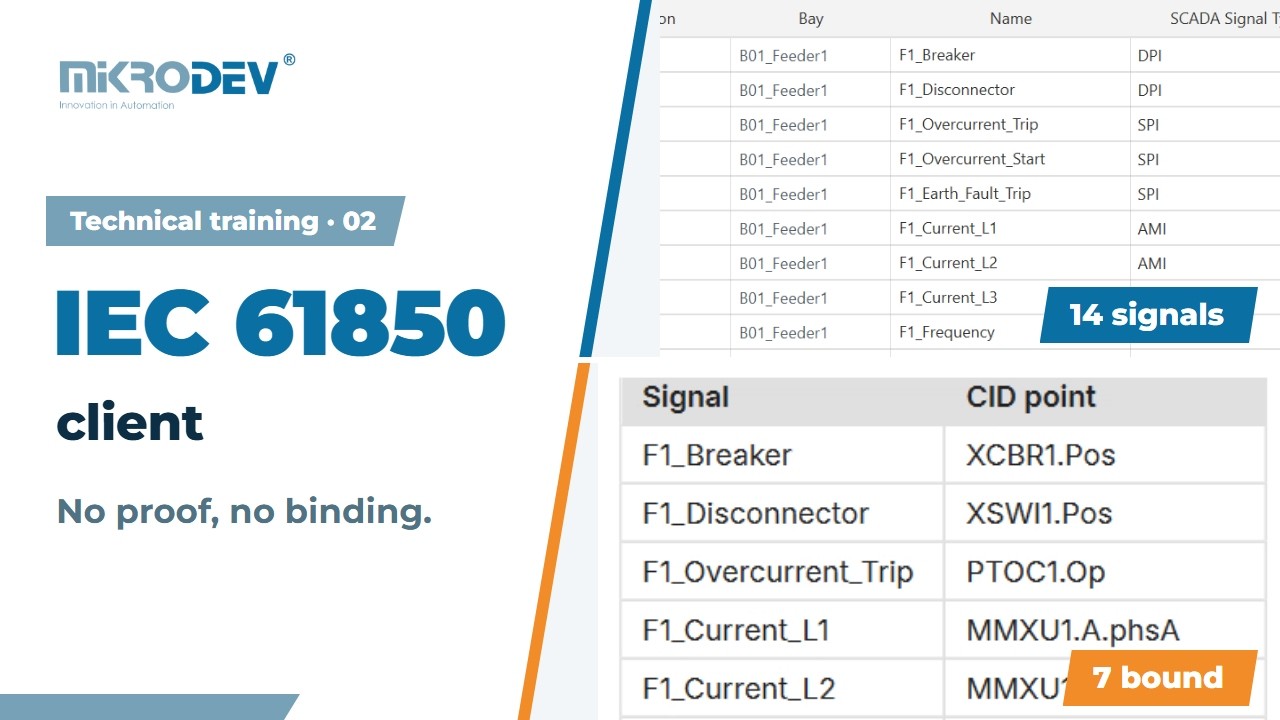
Set up an IEC 61850 client with AI
Using your SCL file and Excel signal list, the assistant builds the Signal Tree and the IEC 61850 client. It links the signals it can match and lists the ones it cannot, with reasons.
03
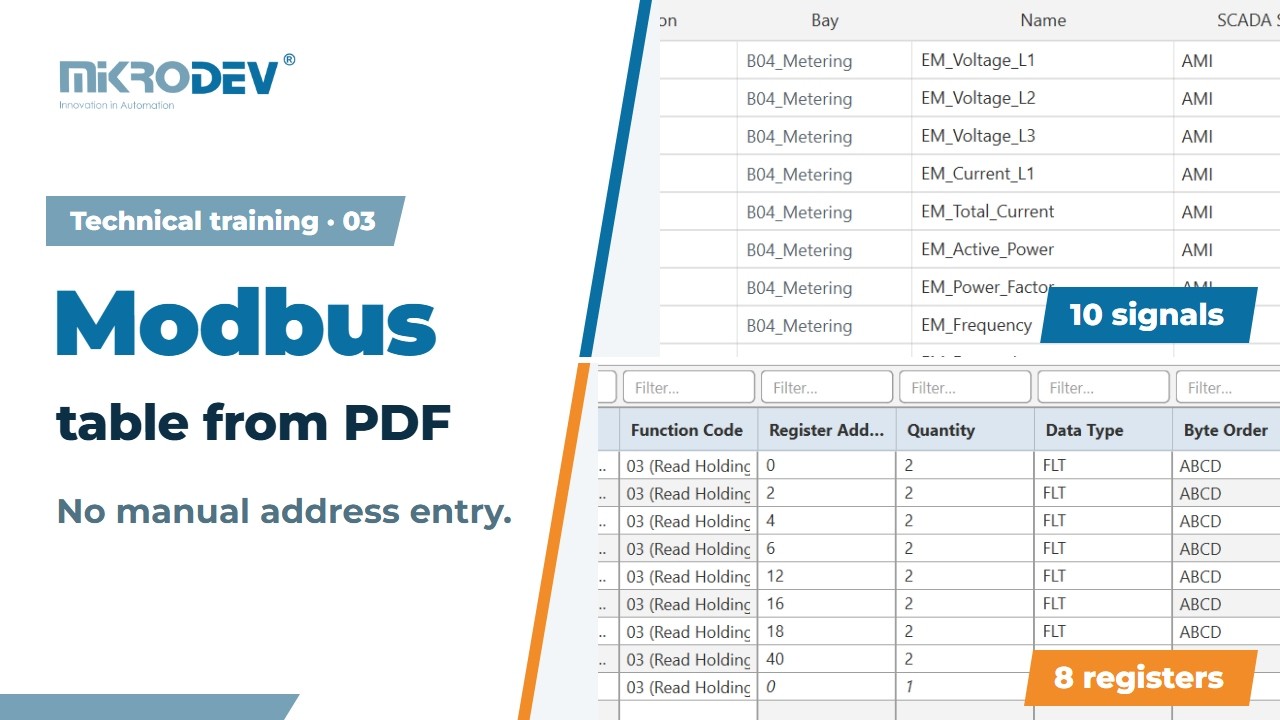
Modbus configuration from a device document
The assistant reads the register map in the device’s PDF document and your signal list, then defines the Modbus device with named registers. It shows a preview before writing to the project.

04
Configure network settings with AI
The assistant does not guess missing IP and network details; it asks you. It writes the values you enter into the project and reads them back to verify. Downloading the settings to the device stays under your control.
Editors
Three IEC languages, one workflow
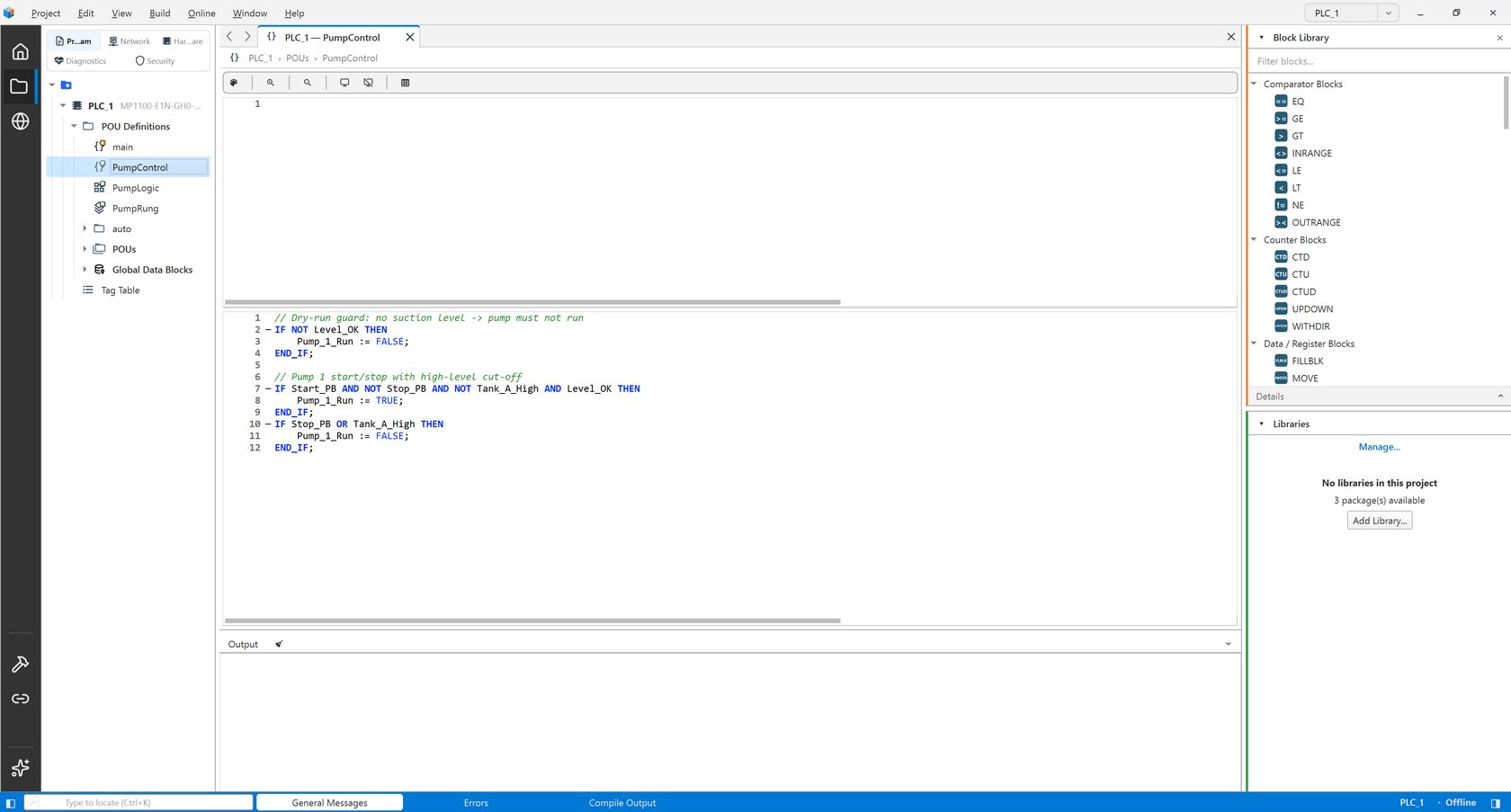
Use Structured Text, FBD or Ladder for each block, all inside the same IEC 61131-3 project.
ST
Structured Text
Syntax highlighting, folding, autocomplete and AI line completion are built in. Ask?: answers in comments, Fix repairs marked lines, and online values appear directly in the editor.
FBD
Function Block Diagram
Build logic on a free canvas with drag-and-drop blocks and pin-to-pin wiring. Type mismatches are flagged early, and live values appear on pins while online.
LAD
Ladder
Build rungs with drag-and-drop contacts, coils, set/reset, edges and flow elements. Online power flow is shown directly on the Ladder diagram.
Search across code, diagrams, tags and signals. Refactoring previews show affected references before a block is renamed.
On the device
Compile. Test. Go online.
Compile one device or the whole project. Download sends logic, device configuration and user records together, and stops automatically if compilation fails.
Online
Connect to the device, inspect diagnostics, memory and cycle time, and see PLC state from the operator panel.
Watch
Watch live values and write test values when needed. The same live data appears directly in ST, FBD and Ladder.
Simulator
Test locally with the built-in PLC Simulator before connecting to hardware.
Features
Everything a PLC and RTU project needs
From the first signal list to the device in the field: AI engineering, IEC 61131-3 programming, protocols, hardware and testing in one environment.
AI engineering01
An assistant that knows the project
- Builds signals, protocol points, device settings and logic
- Asks for missing values instead of guessing
- Manual approval, plan mode and change history
- Cloud providers or local models for offline chat
- Open MCP bridge for Claude, Cursor and other clients
Programming02
Three languages, one editor family
- Structured Text, FBD and Ladder in the same project
- Autocomplete and AI line completion in ST
- Convert blocks between FBD and Ladder
- Find in Project and safe rename previews
- Reusable libraries with linked types and master copies
RTU & protocols03
Signals first, protocols built in
- Signal Tree by region, station and panel
- Modbus TCP and RTU, master and slave
- IEC 60870-5-104 slave and DNP3 slave
- IEC 61850 client with SCL import, MQTT client
- Excel export and import of the project configuration
Hardware & network04
From catalogue to configured device
- CPU and expansion modules from the Mikrodev catalogue
- Scaling and filtering for digital and analogue channels
- Ethernet, routes, NAT and VPN profiles in the project
- Time from RTC, GPS or NTP
- Web and LCD menu signals per device
Test & commissioning05
Prove it before the field
- Built-in PLC Simulator, no hardware needed
- Compile one device or the whole project
- Download logic, configuration and user records together
- Live values in ST, FBD and Ladder while online
- Watch table, diagnostics, memory and cycle time
Project & team06
Ready for real projects
- Encrypted project protection with Owner, Maintainer and User roles
- Print and PDF documentation with cover and contents
- Free commercial license on up to three computers
- English, Türkçe, Español, Français, Deutsch, العربية
- Light, Dark and Abyss themes
Early access
Build your next PLC or RTU project differently.
Start with a test project, try the assistant in Manual mode, and use the built-in simulator before connecting to hardware.