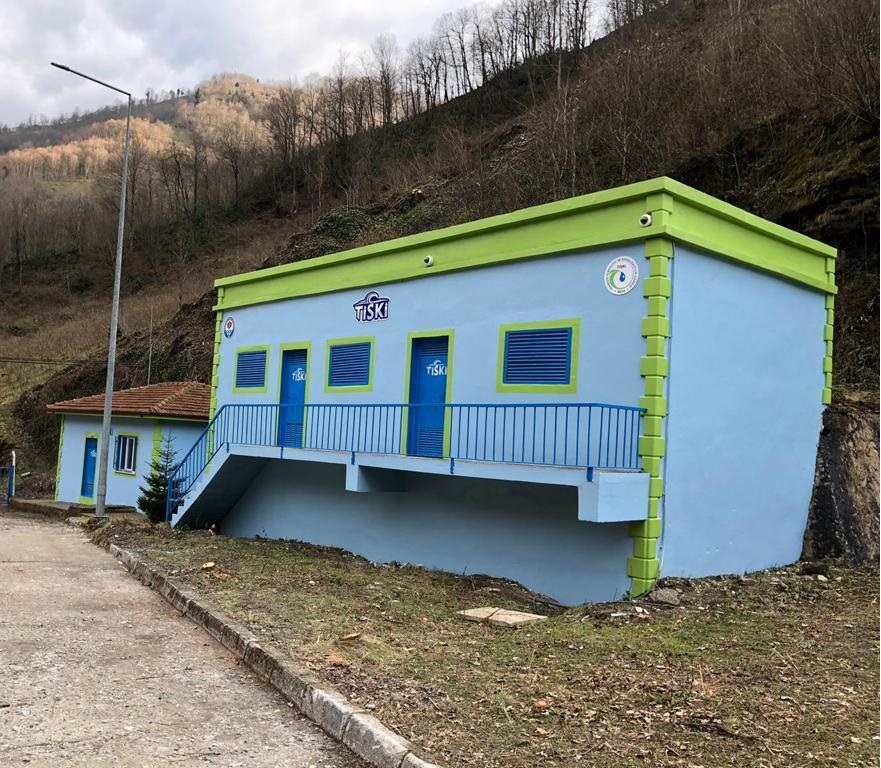
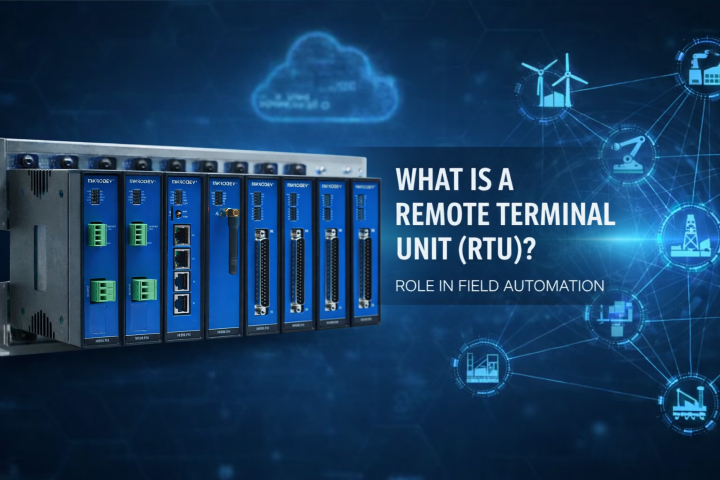
Imagine a water reservoir located outside the city. The water level inside drops rapidly at midnight, the pump needs to start, but there is no one on site. If it takes hours for a technician to arrive, pressure drops and the fault escalates. This is exactly where the remote terminal unit (RTU), the “eyes and ears” of field equipment in remote locations, comes into play.
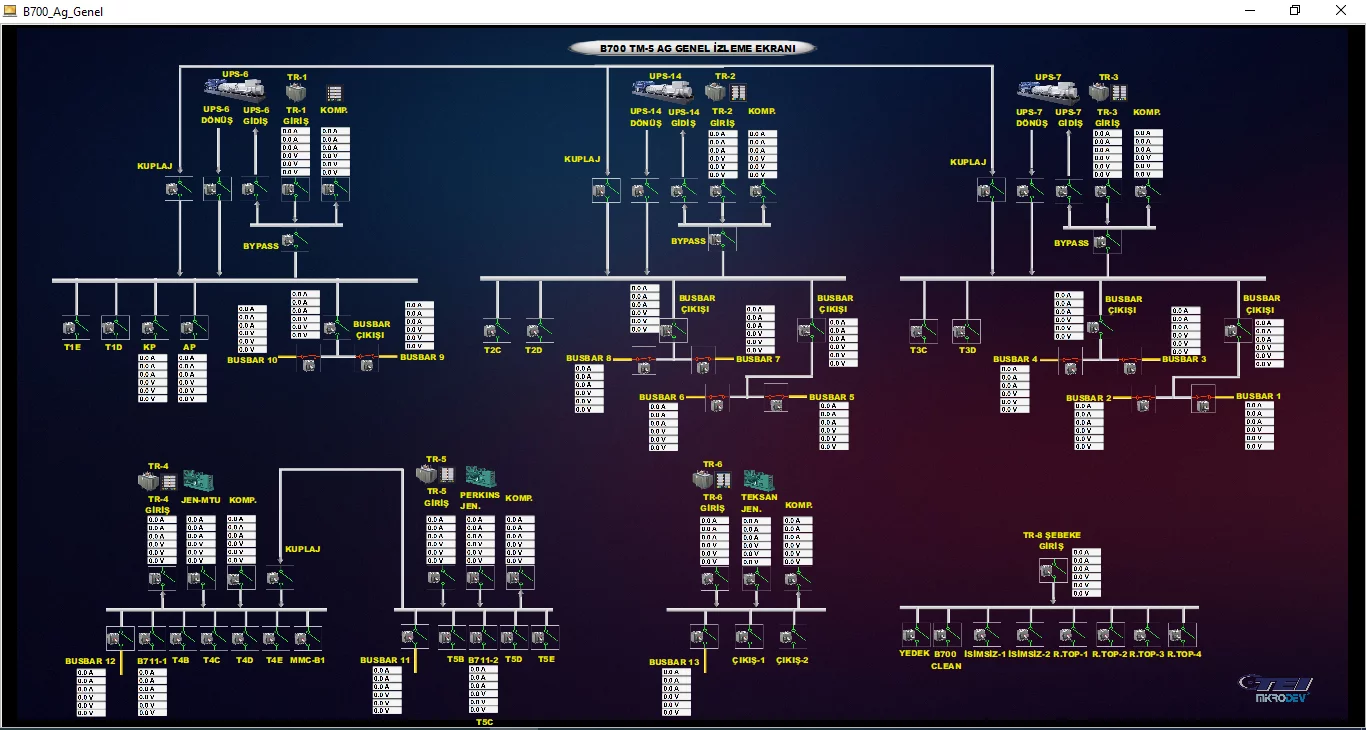
An RTU collects data from sensors and transmits it to the control center, and when necessary, executes commands in the field. Thanks to this, field automation does not only monitor but also generates alarms and enables remote control. In most projects, the RTU works together with SCADA; operators see the field on screens and intervene at the right time.
In this article, we will clearly explain what an RTU does, which inputs and outputs it works with, how it can make decisions in the field, and where it stands in SCADA integration.
What Is a Remote Terminal Unit (RTU) and What Does It Do?
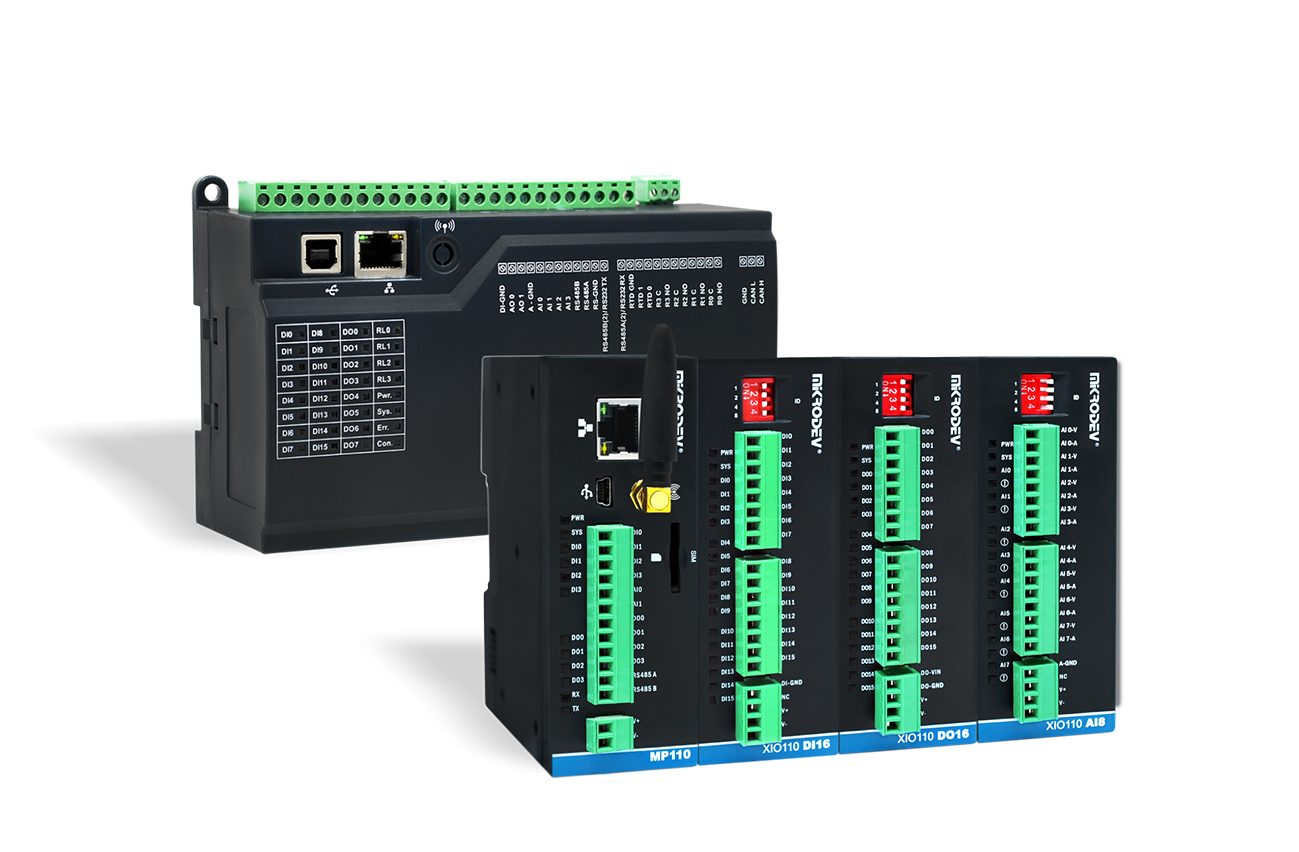
An RTU, in its simplest definition, is an industrial control unit that collects data from field sensors and equipment, transmits this data to the control center, and applies incoming commands in the field when necessary. It is called a “remote terminal” because it often operates kilometers away from the control room, sometimes in locations that are difficult to access.
You can think of an RTU as a “field representative.” The central system (usually SCADA) cannot see or touch everything directly. The RTU brings data from the field and delivers commands to it. That is why a commonly used expression for RTU is: the field hand of SCADA.
What distinguishes an RTU from other control devices is not just reading signals, but being designed to do so reliably. In remote locations, temperatures change, power outages occur, and communication links can be intermittent. RTUs are built to “keep doing their job without interruption” under these conditions.
A typical RTU performs the following tasks:
-
Data acquisition: Measurements such as level, pressure, flow, temperature, and energy values.
-
Pre-processing: Scaling raw signals (e.g., converting a 4–20 mA signal into pressure in bar).
-
Time stamping: Recording measurements with “when was it taken?” information.
-
Alarm generation: Creating alerts for threshold violations, device faults, or power outages.
-
Event logging: Recording on/off changes, fault moments, and alarm timestamps.
-
Remote control: Executing commands such as pump start/stop, valve open/close, breaker open/close.
-
Communication management: Establishing connection with the control center, reconnecting if it drops, and minimizing data loss.
SCADA is strong on the “visualization, supervision, and reporting” side. The RTU measures, executes, and retains data in the field. If you want a broader understanding of what SCADA does, the topic “What is SCADA and who benefits from it?” is a good starting point.
Typical Inputs and Outputs of an RTU (DI, DO, AI, AO)
The value of an RTU comes from its ability to understand “real-world” signals in the field. In most projects, these signals are grouped into four basic categories:
-
DI (Digital Input): Two-state information. Is the door open? Is the pump running? Has the breaker tripped?
-
DO (Digital Output): Two-state commands. Driving relays, energizing contactors, open/close commands.
-
AI (Analog Input): Continuously varying measurements. Pressure, level, flow, temperature.
-
AO (Analog Output): Continuously varying control. Valve position (0–100%), speed setpoints.
Let’s make this concrete with a simple pump station scenario:
-
The reservoir level reaches the RTU via an AI input (e.g., 0–10 V).
-
Pump running feedback reaches the RTU via a DI input (e.g., contactor feedback).
-
The operator issues a “Start pump” command from SCADA; the RTU drives the contactor via a DO output.
-
In an advanced system, valve opening is adjusted via AO and feedback is read via AI.
This structure makes the RTU suitable for both telemetry (monitoring) and industrial control (intervention).
What Data Does an RTU Collect and How Can It Make Decisions in the Field?
An RTU does not have to be just a “read-and-send box.” Many RTUs can also make basic decisions locally. Think of it at a basic level: simple rules run inside the RTU, such as “if this happens, do that.”
Examples of local logic include:
-
Threshold logic: Generate an alarm if the level drops below 20%.
-
Delay: Trigger an alarm only if pressure remains low for 5 seconds (to eliminate momentary fluctuations).
-
Interlock logic: Prevent closing a valve while the pump is running.
-
Data buffering: Store measurements locally when communication is unavailable and send them sequentially once the connection is restored.
The ability of an RTU to operate independently during communication outages can be critical. For example, in a transformer substation on a mountain, protection logic must not stop just because communication is lost. The RTU keeps the system in a safe state with local rules and transfers records once the connection is restored.
The Core Role of RTUs in Field Automation: Data, Reliability, and Remote Control
Field automation is not just about “automating everything.” The real goal is to make distributed locations manageable. RTUs contribute to this goal in three main ways: collecting data regularly, operating reliably, and enabling remote control.
For an organization, the benefits are clear:
-
Outages are reduced because faults are detected before they escalate.
-
Response time is faster because the situation is understood before going to the field.
-
Maintenance can be planned because trends are identified from historical data.
The question “Why RTU?” usually arises in this scenario: your equipment is not located at a single site, but spread across hundreds of locations in a city—power lines, water networks, gas stations, wind turbines. In such environments, the advantage of RTUs lies in their design for remote field conditions: low power consumption, wide temperature range, diverse communication options, and long-term stable operation.
The telemetry and control flow can be summarized step by step:
-
Sensors measure (level, pressure, current).
-
RTU receives, processes, and timestamps the data.
-
Communication line transmits the data to the control center.
-
SCADA displays, records, and generates alarms.
-
Operator or automatic logic makes a decision.
-
Command is sent from the center to the RTU.
-
RTU executes the command in the field (pump, valve, breaker).
-
Feedback is measured again and verified.
When this loop works smoothly, field automation becomes “controllable” and surprises are minimized.
RTU and Telemetry: How Remote Monitoring and Early Warning Work
Telemetry simply means “remote measurement and transmission.” On the telemetry side, the RTU makes field data meaningful and transmits it to the center. This is not just about sending measurements; generating early warnings is also part of the job.
Consider two example alarms:
-
Reservoir level is rising rapidly, risk of overflow.
-
Line pressure has dropped, possibly due to a leak or pump failure.
For effective alarm management, the RTU can reduce unnecessary alarms with simple local methods, such as:
-
Filtering: Sending averaged values instead of raw measurements.
-
Delay (debounce): Generating an alarm only if the value remains outside the threshold for a defined time.
These small adjustments prevent “alarm flooding” on the operator screen, ensuring that real alarms are not overlooked.
RTU in Industrial Control: Safe and Fast Intervention in the Field
The control function of an RTU becomes visible through remote commands. Common examples include:
-
Breaker open/close
-
Valve open/close or position control
-
Pump start/stop
-
Generator startup scenarios
At this point, the risk of an incorrect command is serious. Closing a valve at the wrong time can cause pressure surges; closing a breaker under unsuitable conditions can damage equipment. Therefore, safety interlocks usually operate on the RTU side.
A simple verification logic example:
-
Operator issues a command.
-
System checks authorization (who sent it?).
-
RTU checks conditions (are they suitable?).
-
If valid, the command is executed; if not, it is rejected and an event is logged.
This approach increases industrial control safety and reduces the risk of damaging field equipment with a single command.
RTU System Architecture: SCADA Integration and Communication Options
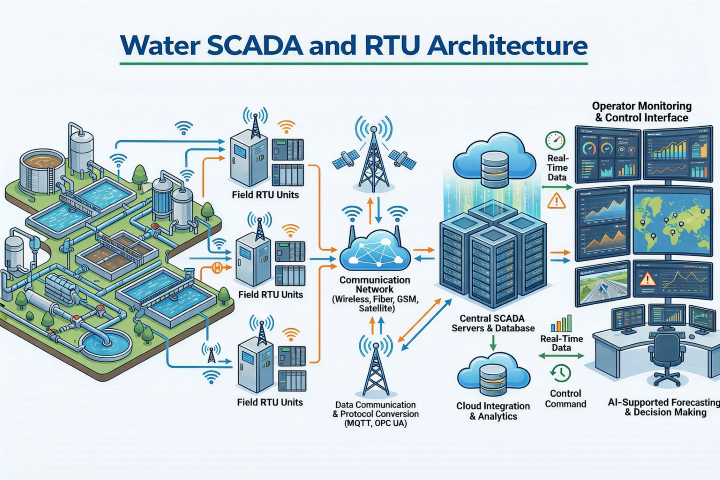
While an RTU is valuable on its own, it shows its real power within the SCADA ecosystem. The general architecture includes RTUs and I/O in the field, a communication network, and SCADA servers and operator stations at the center. In some setups, data collection servers, historians, and reporting layers are also included.
For an RTU to communicate with SCADA, a communication protocol is required. Names such as Modbus, DNP3, and IEC 60870-5 are commonly heard. In practice, the goal is the same: “read this tag,” “send this command,” “transmit this alarm.” Protocol selection usually depends on the sector, existing infrastructure, and reliability expectations.
Communication channels vary based on field realities. The table below summarizes the most common options:
| Communication Option | When It Makes Sense | Points to Consider |
|---|---|---|
| Wired Ethernet | Plant environments with existing infrastructure | Cable routing, physical security |
| Serial Line (RS-485, etc.) | Short distances, many field devices | Limited speed, topology matters |
| Cellular (4G/5G) | Distributed sites, fast deployment | Coverage, SIM management, data plans |
| Radio | When building your own infrastructure | Line of sight, licensing, interference |
| Satellite | Very remote, no coverage areas | Cost, latency, data limits |
Two aspects are often overlooked: time synchronization and data integrity. Event records must show correct timestamps, and data must not arrive incomplete or corrupted. When analyzing a field fault, even seconds can make a difference.
Cybersecurity and Continuity: Encryption, VPN, Redundancy
Because RTUs operate in the field, security cannot be treated as an afterthought. Basic practices can be summarized simply:
-
Authentication: Who is connecting, and with what authority?
-
Encrypted communication: Prevent data from being read or altered in transit.
-
VPN usage: Secure tunnels are commonly used on cellular connections.
-
Network segmentation: Separate field networks from office networks.
-
Event logging: Who issued which command, and when?
From a continuity perspective, RTUs are expected to be resilient. Small measures can make a big difference: backup communication links, watchdogs for automatic recovery from freezes, and UPS or battery support for power outages.
The goal is simple: even if communication is lost, the field should not become blind; even if power is lost, records should not be lost.
RTU or PLC? Which Is the Right Choice and When?
PLCs and RTUs are often compared because both read I/O and execute commands, but their focus areas differ.
-
PLCs excel in fast, deterministic process control (machine control, production lines).
-
RTUs are focused on remote sites and telemetry (distributed stations, infrastructure networks, wide-area applications).
Helpful questions when choosing include:
-
Are field conditions harsh (temperature, humidity, accessibility)?
-
What is the number and type of I/O?
-
What communication channel will be used, and how likely is disconnection?
-
How critical is local control—what should the RTU do on its own?
-
What is the maintenance model—is field access costly?
A practical reality is that many projects use both together. The PLC handles fast local control, while the RTU manages telemetry and SCADA connectivity. If you want a clearer comparison, the topic “PLC vs RTU: Which Is More Suitable?” focuses directly on this distinction.
If you want to monitor and manage remote locations, the RTU is often the backbone of the system. A remote terminal unit collects field data, carries telemetry flows, and provides visibility through alarms and event logs. When combined with SCADA, field automation moves beyond “screen monitoring” to remote control and faster intervention.
As a next step, create a short requirement list for your own field: required I/Os, communication options, power conditions, security expectations, and maintenance model. Once this list is clear, RTU selection becomes a practical decision rather than a theoretical debate. The hardest part is usually not the device itself, but understanding the field correctly; the rest follows step by step.